03 /Security
A lower-risk way to use AI
Zilbee Hub works on the systems you already have and pulls them together on a private server set up for your company alone. Your data does not gain a new home with a third party, so it lowers your risk instead of adding to it. You keep the controls: roles, previews, access requests, undo and a full log.
01 /Data ownership
Separate by design, not by setting
- 01
One server per company
Your install runs on a server set up only for you. No other client’s data or code shares it.
- 02
Your own database and index
The search index of your email and documents lives in your own database, built for your company alone.
- 03
Private network access
The app sits on a private address. Staff sign in with their company Google or Microsoft account.
- 04
You can take it with you
The data is in standard formats on a server you control. If you stop working with us, it stays with you.
It does the work. You stay in charge.
02 /Controls
What your business controls
- 01
One-click send, with undo
Drafts arrive with the facts and files in place. Send in one click, with 20 seconds to undo, and email headed outside the company is flagged first.
- 02
Connections scoped to the work
Each connection to email, files and the ERP gets the access its workflows need, named and agreed with you.
- 03
Roles decide who sees what
Pay, compensation and finance pages follow each person’s role, and the assistant answers within the same role, so everyone gets answers that fit their job.
- 04
Only what the work needs
Fields like Social Security numbers stay in the source system, so the index holds what the work needs and nothing more.
- 05
A full record
Every question, answer, draft and send is logged, so you can see who did what and when.
In the product
The controls, on real screens
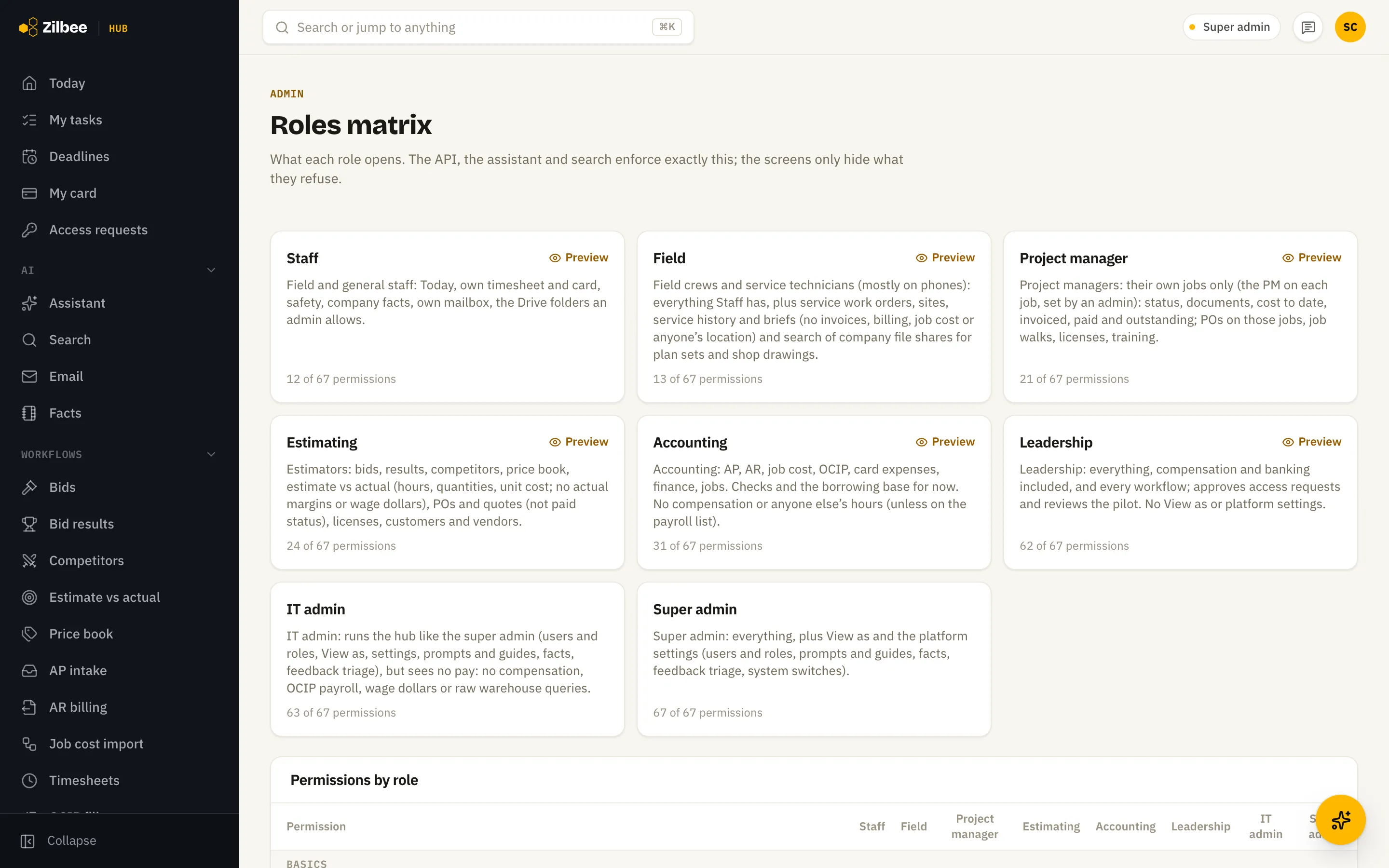
Roles
One page for who sees what
Each role lists what it opens, in plain language. Search and the assistant follow the same roles, so every answer fits the person asking.
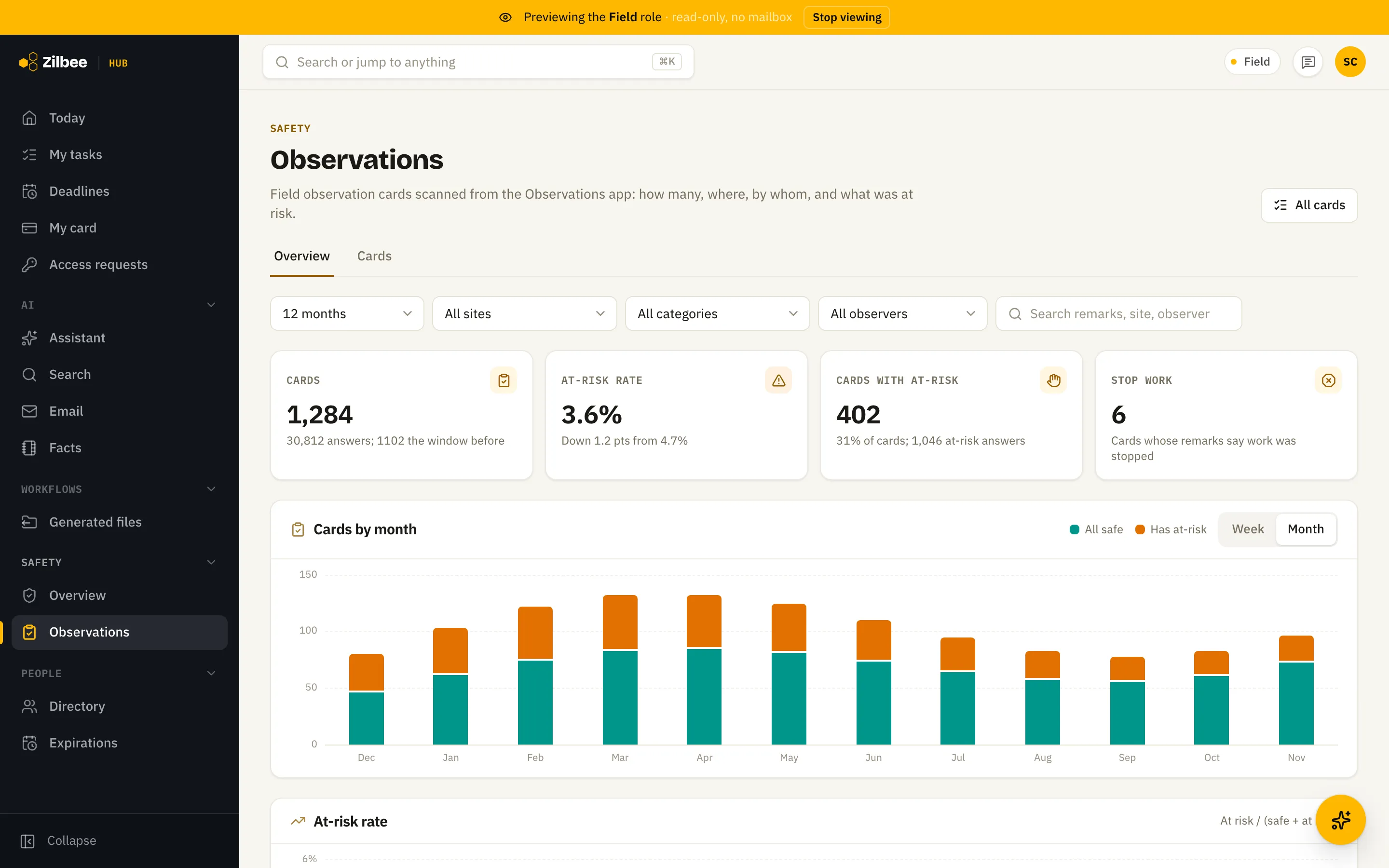
View as
Check it as someone else
Preview the hub as any role and see exactly what a field supervisor or an estimator sees before inviting them.
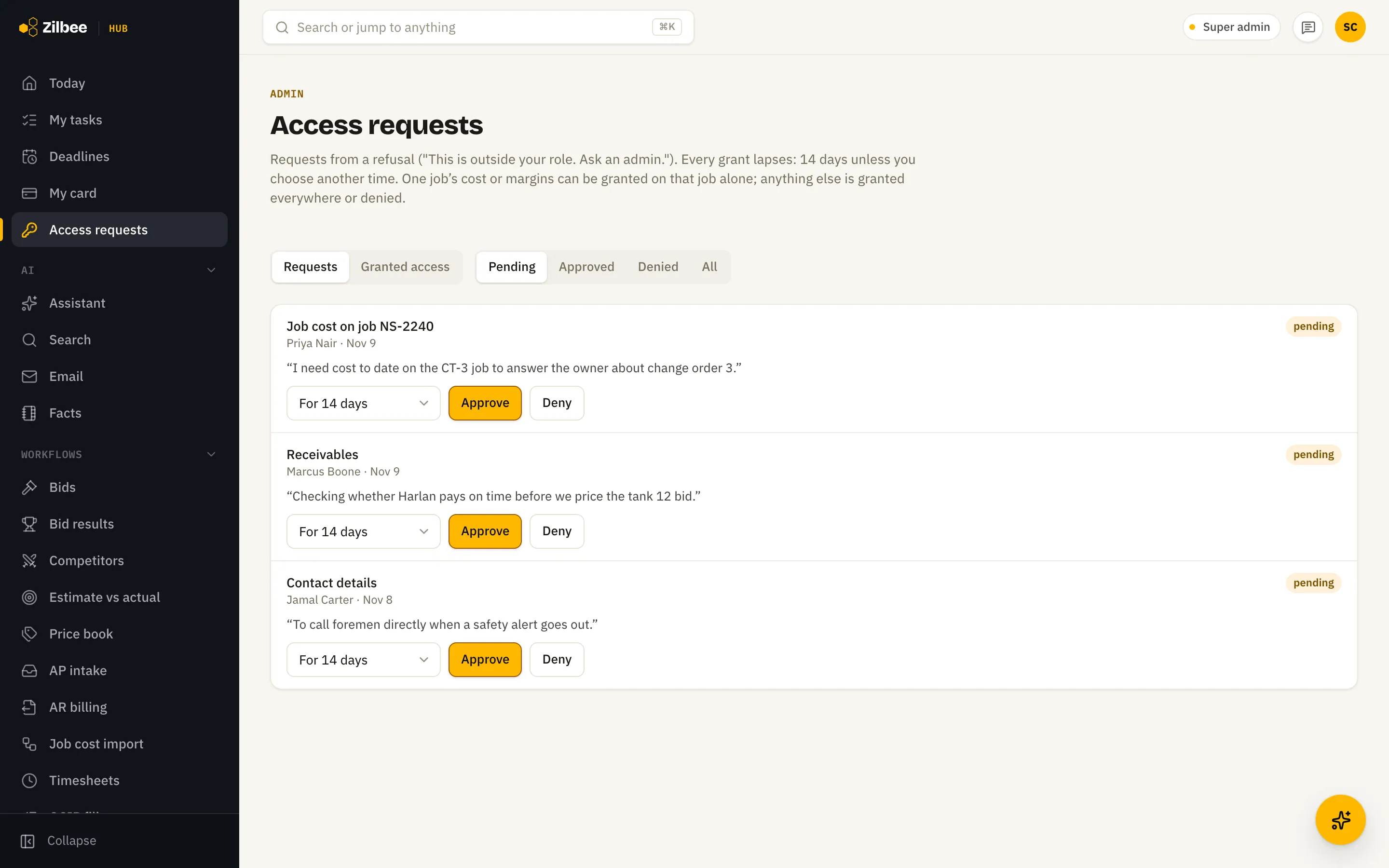
Access requests
Access in one request
Someone needs a screen outside their role? They ask from that screen, an admin grants it for a job or a set number of days, and it is logged.
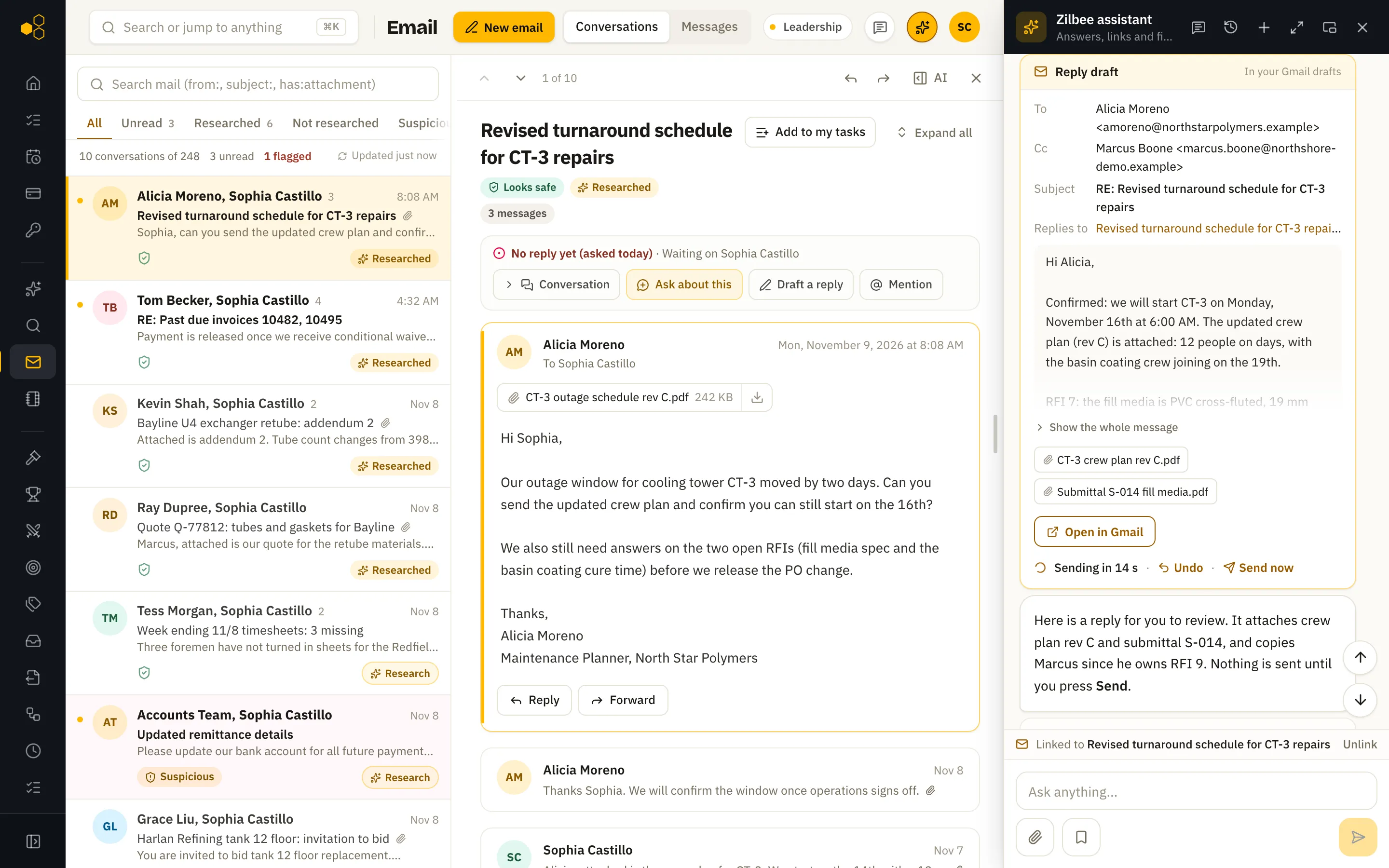
Send
Ready to send
Drafts arrive with the facts and the files in place. Send in one click, with 20 seconds to undo.
03 /The AI model
What the model sees
The assistant uses a commercial AI model to read and write. The model sees only the pieces of text needed to answer a question, at the moment it answers. Your full index and database stay on your server.
You bring your own AI account. Your company signs up with a commercial AI model provider and adds its key to the hub, so the provider’s terms, including how your data is handled, are an agreement between your company and the provider, and you see the usage yourself. If you would rather not set one up, we can provide the model.
Bring your IT questions
We will walk your IT lead through the server, the access each connector has and the logs.
Start a free trial