Skip to content
ZilbeeHub
Menu

02 /How it works

From first call to daily use in five steps

We are bringing on small and mid-sized companies across a range of industries. Each install is built around one company. The steps are the same every time; what we connect depends on what you run.

  1. 01

    Install

    We set up a dedicated server for your company, either in your own cloud account or with a host you choose. It gets its own database, its own search index and a private address only your staff can reach.

    Your name, logo and colors go on from day one.

  2. 02

    Connect

    We hook up your email and files (Google Workspace or Microsoft 365), your accounting or ERP system, spreadsheets, Airtable-style bases and any in-house database. If there is no connector for a system yet, we build one, and if it has no API at all, the hub works its screens.

    Each connection gets exactly the access its workflows need.

  3. 03

    Index

    The hub reads everything into one private index on your server: every mailbox, every attachment, every drive and shared drive, the ERP and your spreadsheets. New mail and files are added as they arrive. This index is what makes search instant and answers sourced.

    For a mid-size company that is 100+ mailboxes and years of history.

  4. 04

    Get your team started

    People learn it by using it. Short videos show each part, and the assistant answers how-to questions in plain words, so nobody needs a manual. Adding a person is just their email and a role. We tune the answers to your terms and job numbers and turn on the modules each team needs first.

  5. 05

    Support and grow

    The hub keeps the index current and runs its checks and workflows every day. We watch it, ship updates and add modules as your team asks. Feedback goes straight from the hub to us.

Systems without an API

No API? No problem.

When a system only has screens, Zilbee Hub uses the screens: a controlled browser session that logs in with its own user, fills the same forms your staff do and checks every field. Safe, repeatable and fully auditable.

In accounts payable, that means vendor invoices entered into the ERP exactly as a clerk would enter them, every line checked against the PO.

  1. 01

    Zilbee Hub

    Starts the workflow

  2. 02

    Browser session

    Its own login

  3. 03

    The system’s screens

    Same forms your staff use

  4. 04

    Staged batch

    Ready for review

  • 01Each workflow signs in with its own login.
  • 02One session at a time per login, so nothing collides.
  • 03A dry run before every write, with every field checked.
  • 04Work lands in a held batch for your normal approval.
  • 05Screenshots and a log of every run.

Step 3, up close

One index behind everything

Search, answers, research, reports and scheduled checks all read from the same index. Answers come back as text with sources, or as the file you asked for: an Excel sheet, a PDF report, a chart or a Word draft. Add a source once and every feature can use it.

In

  • 01Every mailbox
  • 02Every attachment
  • 03Drives and shared drives
  • 04ERP and accounting
  • 05Spreadsheets and bases
  • 06Files made in Zilbee Hub

One private index

Everything your company knows

Built on your server, kept current as mail and files arrive. It is why answers take seconds and always point to a source.

  • 100+ mailboxes
  • Every shared drive
  • Years of history

Out

  • Search in a second
  • Answers with sources
  • Research and briefs
  • Files: Excel, PDF, Word, charts
  • Checks that run on their own

Three real requests

What the index answers

  1. “Another AI tool helped me price this bid. Review it and give me your thoughts.”

    From · Bid workup · Drawings · Labor history · Price book

    AnswerMath confirmed, but three scope conflicts, a likely safety cost gap and unsupported unit rates. Advice: don’t send it as is.

    58 s

  2. “Make a one-page estimator brief for this bid as a PDF on letterhead: key dates, contacts, scope, the gates to check before pricing, and what the bid must include.”

    From · Bid record · Bid history

    FileA letterhead PDF, ready to hand to the estimator.

    24 s

  3. “Find my employees’ individual licenses and expiration dates and make a log. Most are in email.”

    From · Email · Renewal tracker · Certificates

    FileA spreadsheet of about 90 certifications with days-left and status columns, and a summary of the lapsed ones.

    4.8 min

Real requests from live installs. Names, customers and amounts changed. Times are real.

What we need from you

Four things to start

  1. 01

    An admin for email and files

    Someone who can grant read access to email and files in Google Workspace or Microsoft 365.

  2. 02

    Read access to the ERP

    A login or database user for the accounting or ERP system.

  3. 03

    The questions people ask most

    A rough list is enough. It tells us what to connect and tune first.

  4. 04

    Ten to fifteen early users

    A first group from across the company, willing to use it daily and tell us how to fit it better to your business.

What is included · One time

Setup and integration

A project to get your install running.

  • Dedicated server, database and search index
  • Your branding and sign-in
  • Email and file connections (Google or Microsoft)
  • ERP, accounting and other system connectors
  • Custom connectors for systems with none yet
  • Roles, first modules and staff training
What is included · Ongoing

Support and updates plan

Keeps the hub running and growing.

  • Monitoring, backups and fixes
  • Product updates as they ship
  • New modules from the shared product
  • A set number of hours for changes you ask for
  • Support for your staff by email or chat

Pricing and custom work

Priced per company

Pricing is set per company. It depends on how many systems we connect, how many people use the hub and which modules you start with.

If your business needs something new, we build it as a setting or an add-on module for your install. The core product stays the same for every client, so updates keep working for everyone and you always run the current version.

Want to see it on your own work first? Start a free trial.

After launch

The feedback loop

Step five keeps going. This is how requests from your team turn into the next update.

  1. Anyone sends feedback

    01

    Anyone sends feedback

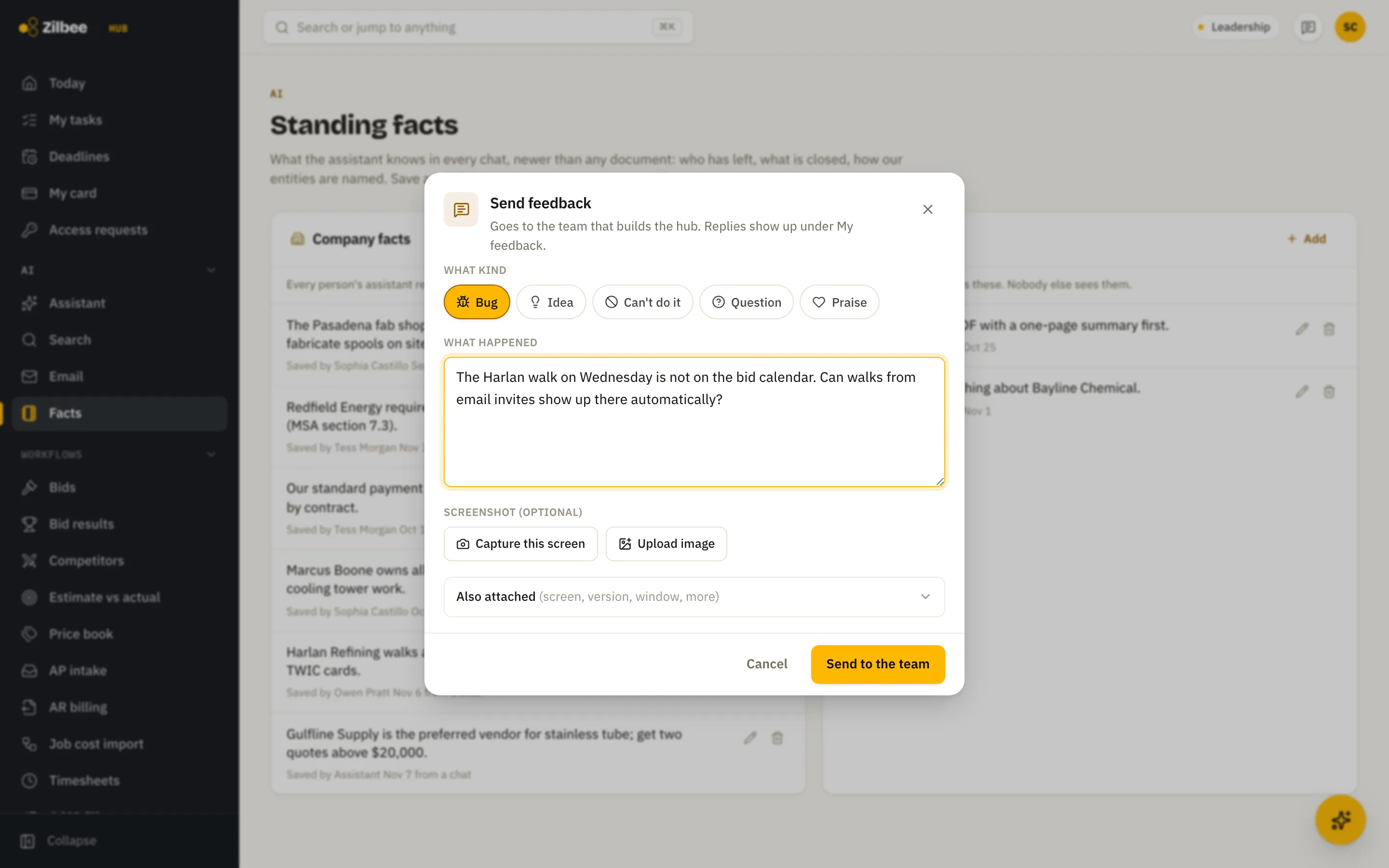
    A button on every screen. Bugs, ideas and questions go in with a screenshot and the page they were on.

  2. It lands with us

    02

    It lands with us

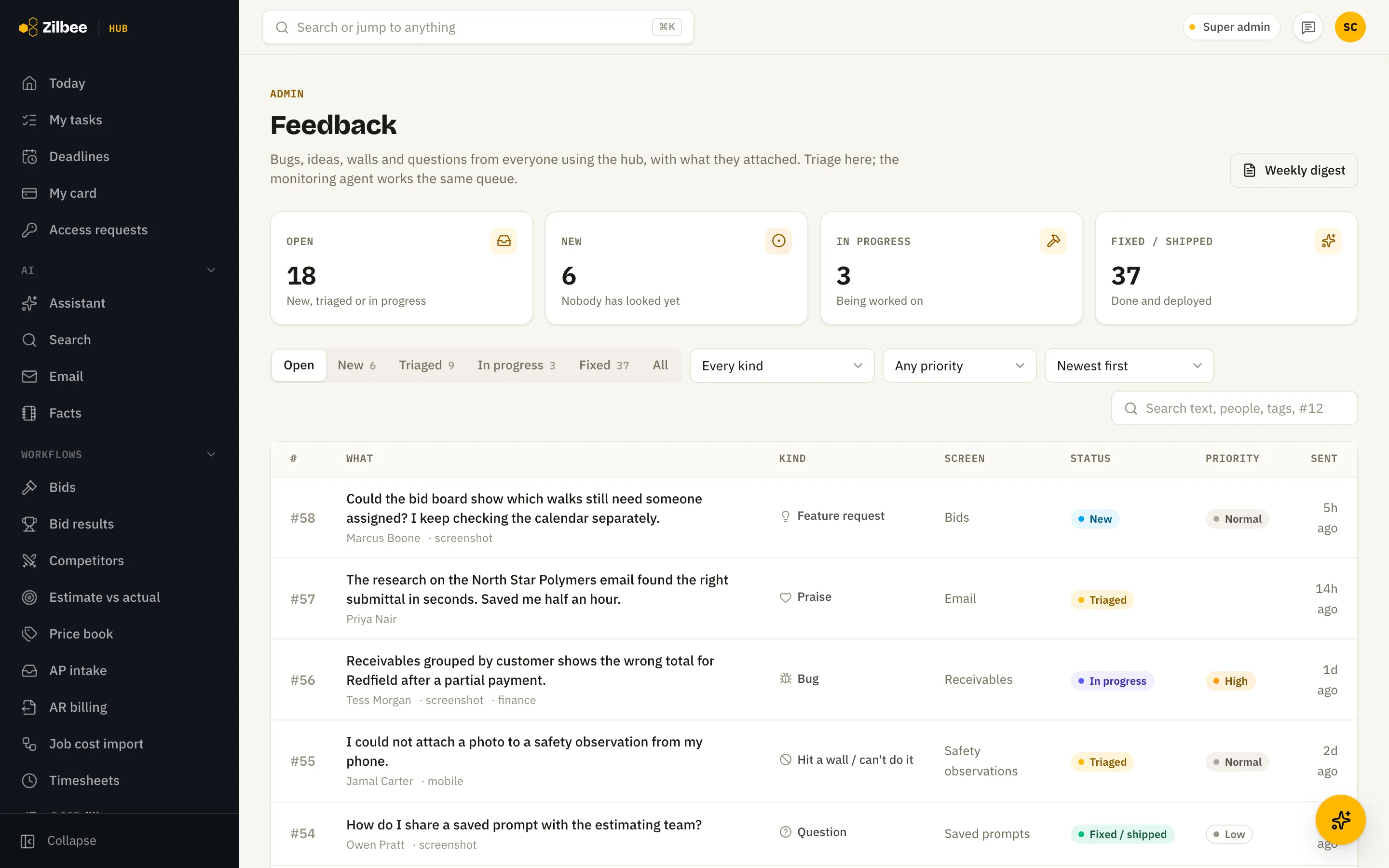
    Every item is triaged in one inbox, with its status visible to the person who sent it.

  3. We watch what gets used

    03

    We watch what gets used

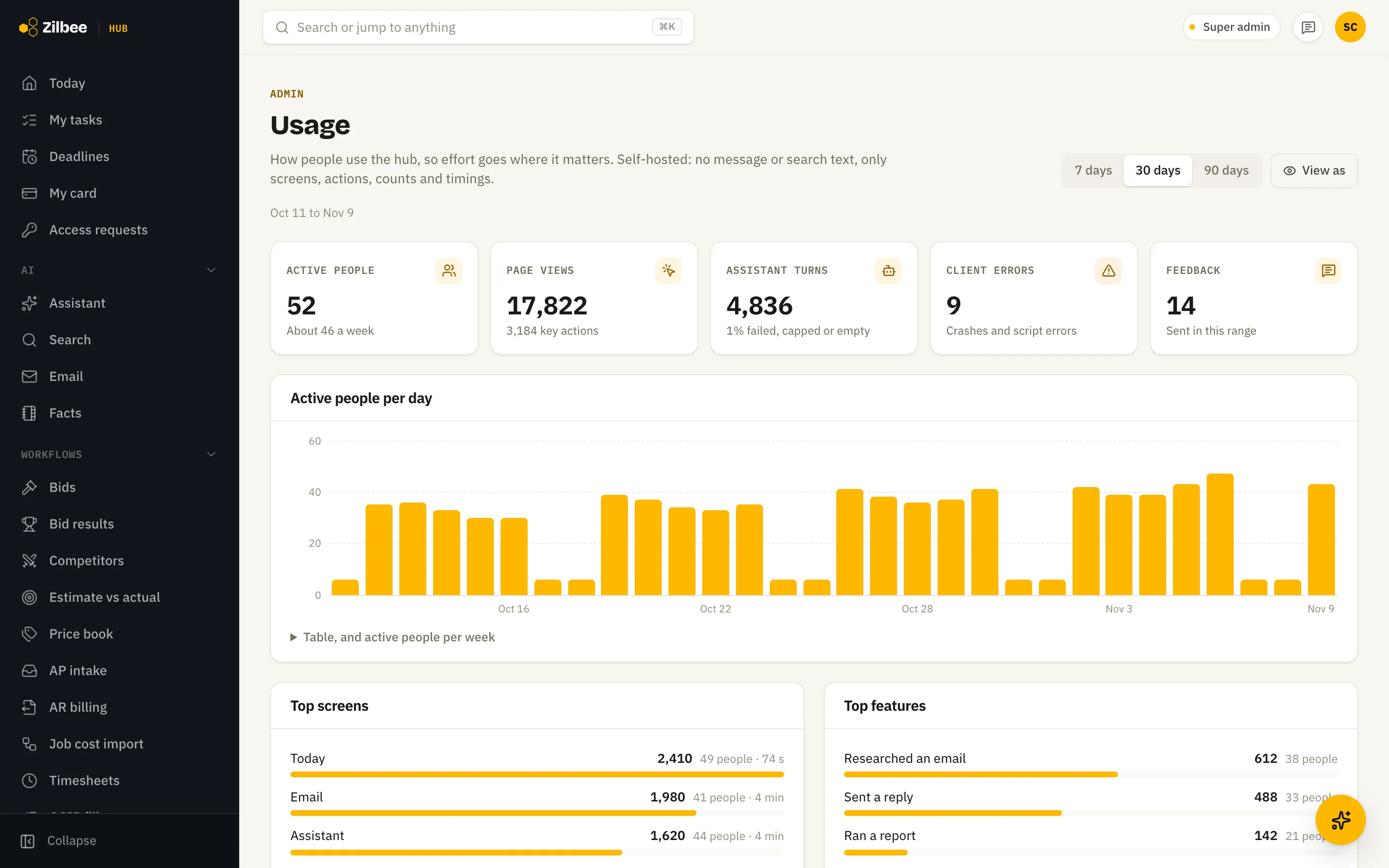
    Usage by person, screen and feature shows what is working and where people get stuck.

See it run on real work

A live walkthrough takes 30 minutes. We show the assistant, the modules and the setup plan for your company.

Start a free trial